
What is WPMU DEV?
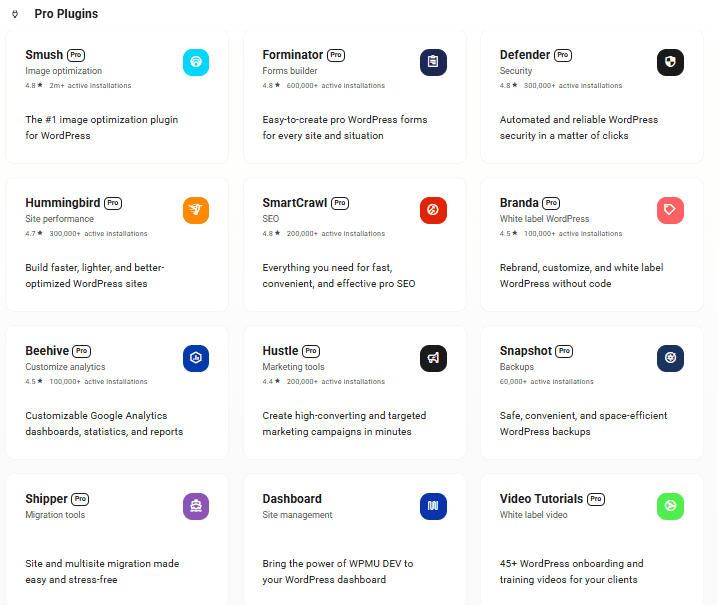
WPMU DEV is the comprehensive All-In-One WordPress Platform designed specifically for the growth and success of agencies in the digital space. With just a single powerful tool, you gain access to an impressive suite of 13 professional-grade plugins.
Thank you for reading this post, don't forget to subscribe!These plugins cover an extensive range of essential services, from Search Engine Optimization (SEO) and image optimization to robust Analytics and a versatile Security Plugin, ensuring that your website not only attracts visitors but also keeps them safe and engaged.
Here’s a quick glimpse of the pro plugins offered by WPMU DEV:
What they offer?
They offer an extensive selection of Pro Plugins, all at a cost that is both affordable and reasonable for users.
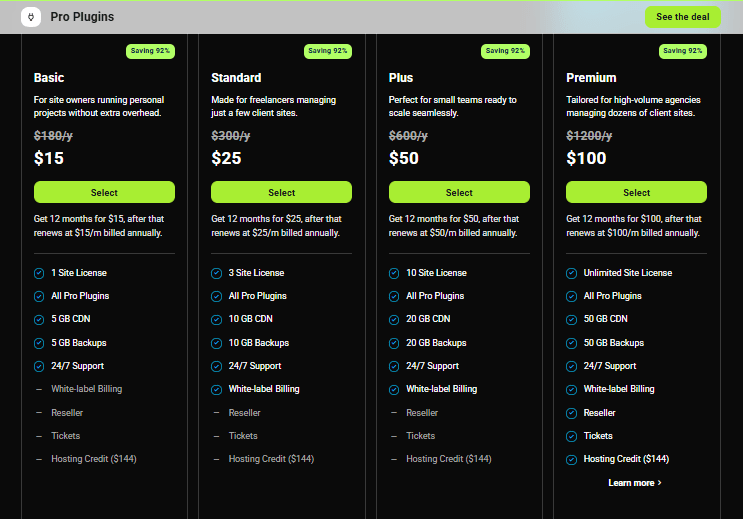
Choose the best plan that fits your needs. After picking one, provide some basic information. Once you’ve filled everything out, you can proceed to pay for your selected plan.
Installing WPMU DEV Plugin
Now that you’ve completed the payment process, let’s dive into the installation of WPMU DEV Plugin.
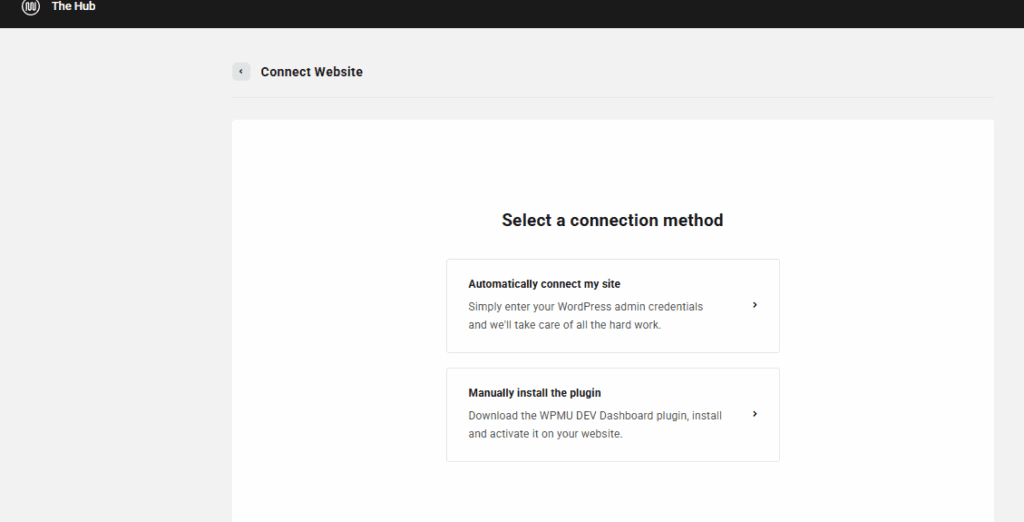
There are 2 ways to install the Plugin:
- Enter WordPress Admin Credentials
- Manually Install the Plugin
Let’s proceed with the easier method, i.e by entering Admin Credentials.
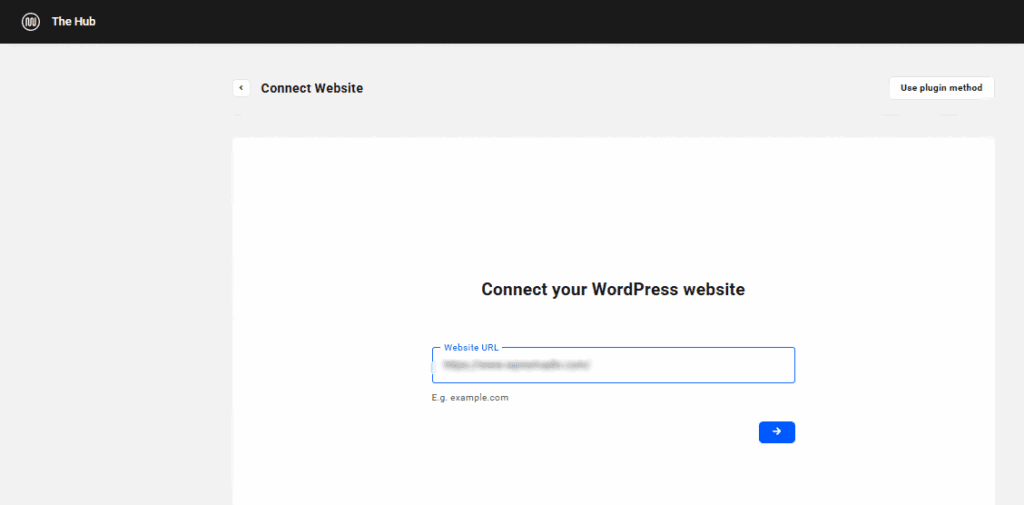
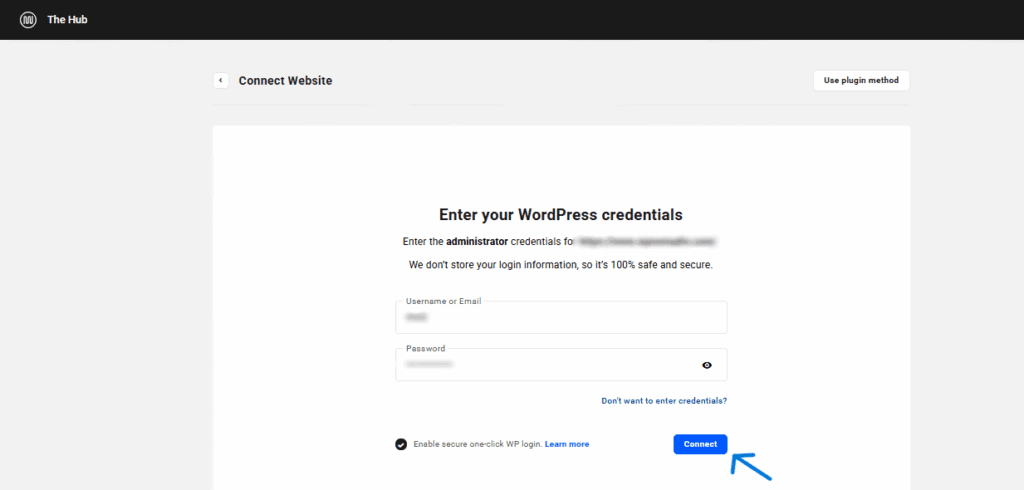
Firstly, Enter your Website complete URL to link WPMU DEV to your website
Then you’ll need to provide WordPress Admin Credentials to successfully connect with your Dashboard.
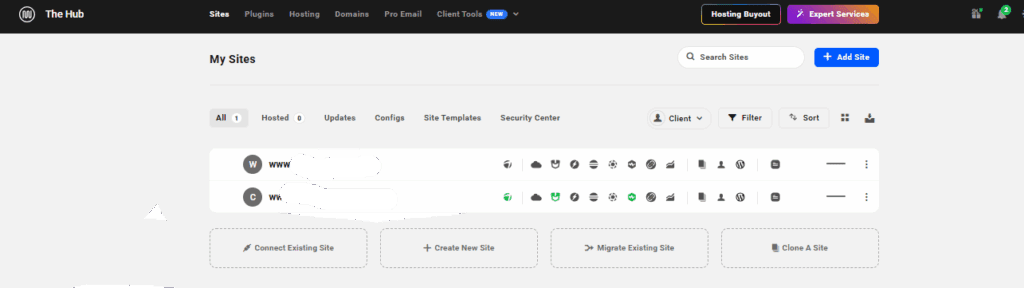
After entering your Admin Credentials, spare a moment for WPMU DEV to establish a successful connection and complete the installation in your Dashboard.
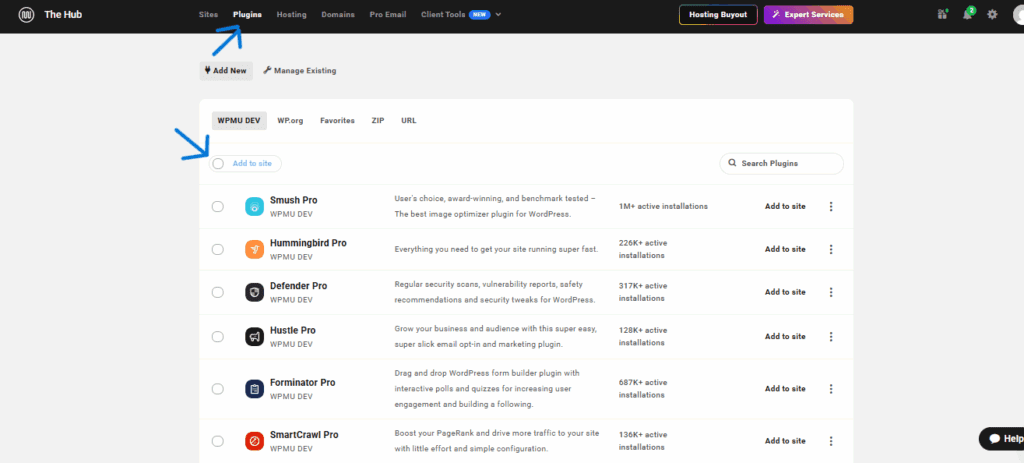
Go to the Plugins Section to view all the plugins.
You can select only the required plugins to be installed and activated or Click on the top button to select all the plugins and click ont the Add to Site option.
Login to your WordPress Dashboard and navigate to WPMU DEV.
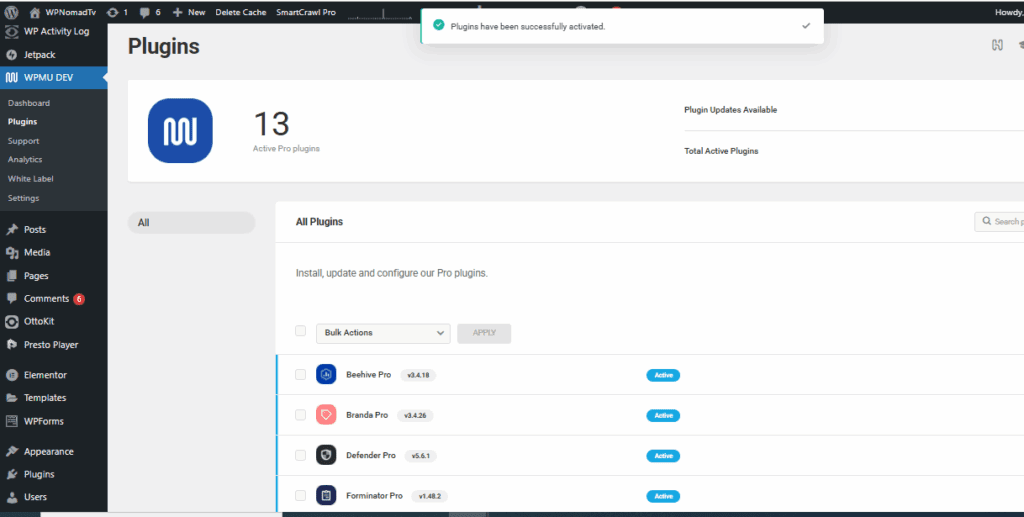
Here you can view all active plugins and also remove any plugins if not nexessary.
This was an easier method to quickly Install and Integrate Plugins to your Dashboard.
Stay Tuned with WPNomadTV for more Tutorials.