
In this Blogpost, we will list out 10 Important Post section features in WordPress to write a blog post.
Thank you for reading this post, don't forget to subscribe!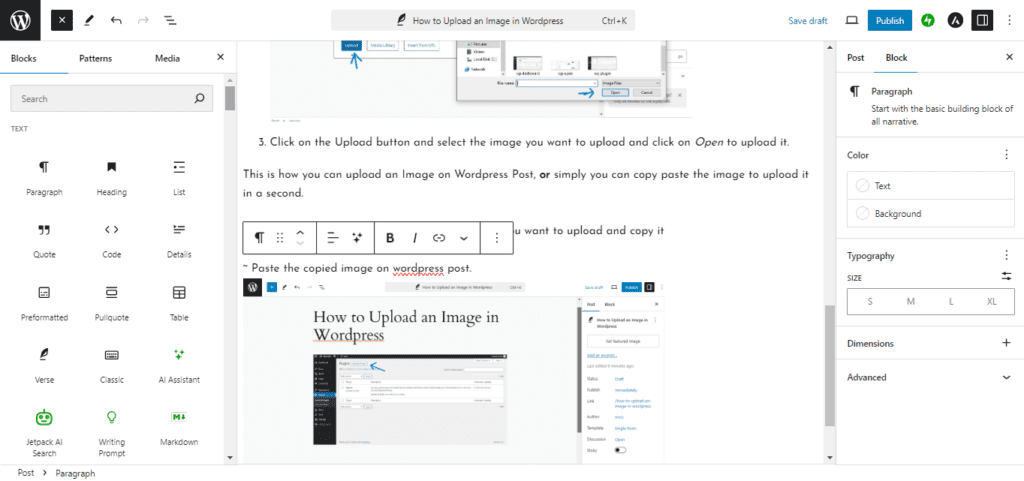
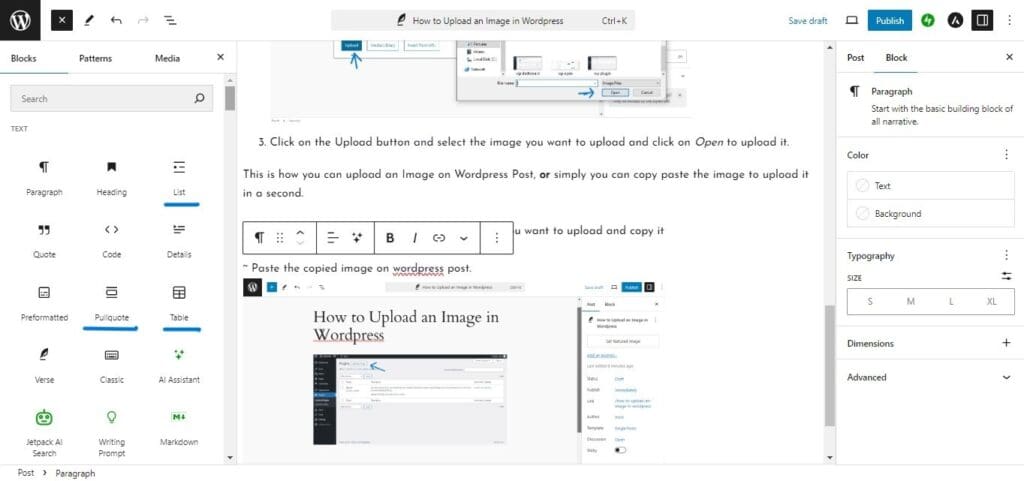
The WordPress Post Editor is where you create and manage your blog content. On the left side, you’ll find different content blocks such as paragraphs, headings, images, and lists. The center area is your writing workspace, while the right panel contains settings that help you customize and publish your post.
Content Blocks
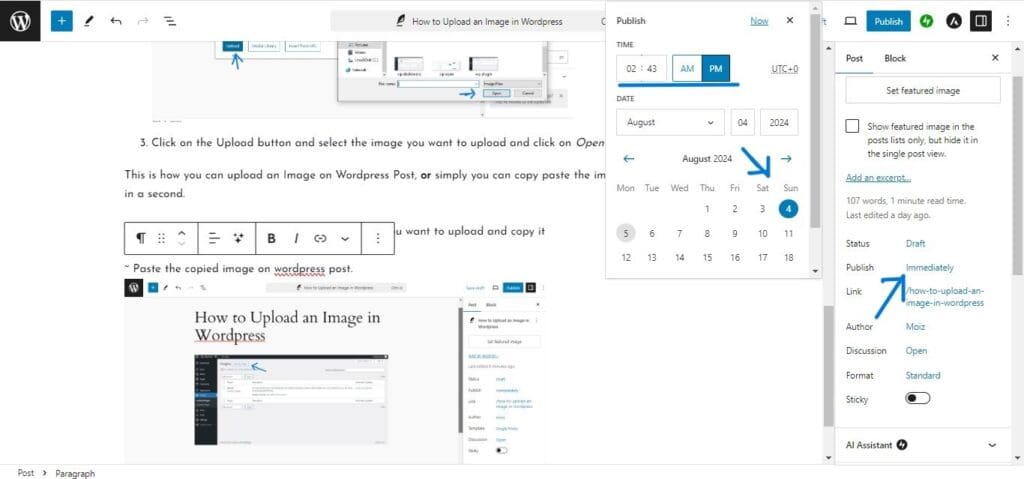
The Publish Settings panel provides control over the timing and method of a post’s release. It enables content creators to save drafts for later refinement, schedule publication for a future date and time, or publish immediately when content is ready. This functionality supports a consistent posting cadence and coordinating launches with broader editorial calendars. Additionally, users can often adjust related options such post visibility, scheduling windows and the status of drafts to ensure alignment with editorial workflows.
Design Blocks
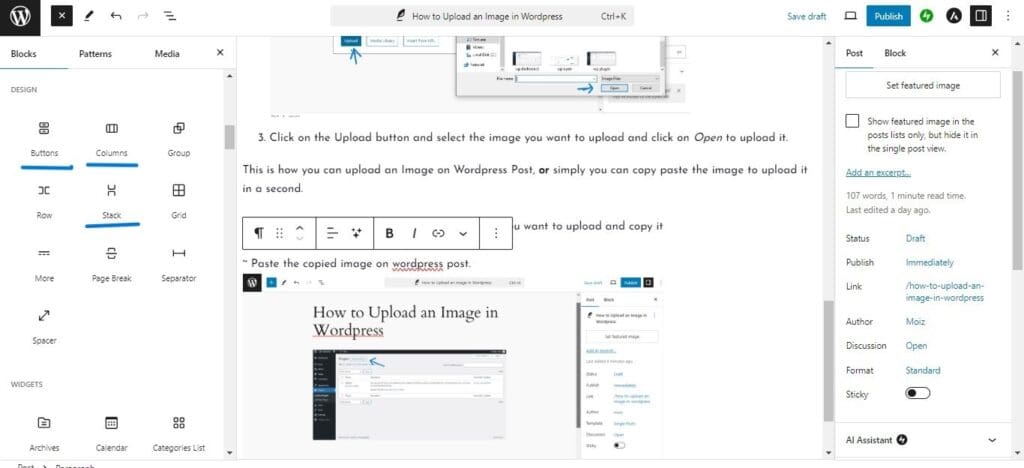
WordPress includes design-focused blocks such as Columns, Groups, Rows, and Stacks. These blocks help you create visually appealing layouts without needing coding skills. They are perfect for organizing content into sections and improving readability.
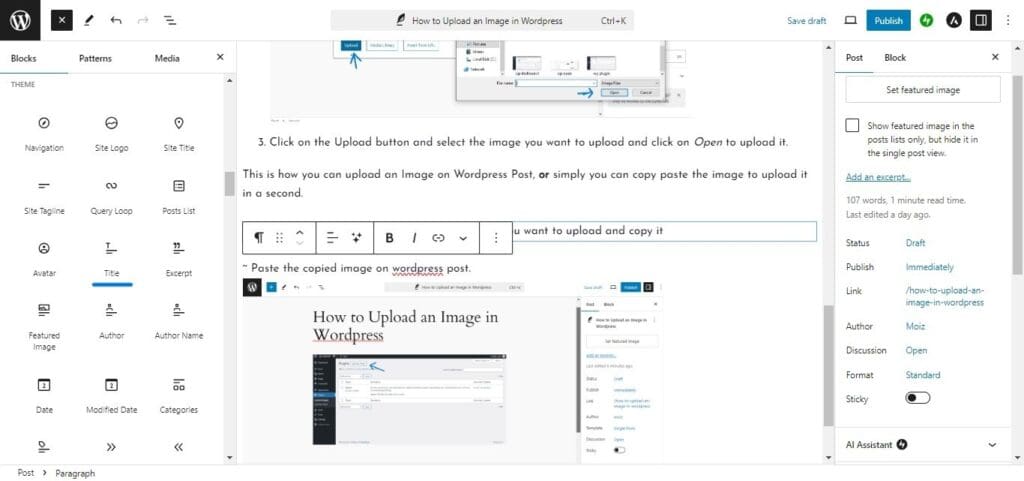
Theme Blocks
Theme blocks allow you to add elements that match your website’s design. These include navigation menus, post titles, featured images, and category displays. Using theme blocks helps maintain a consistent look across your website.
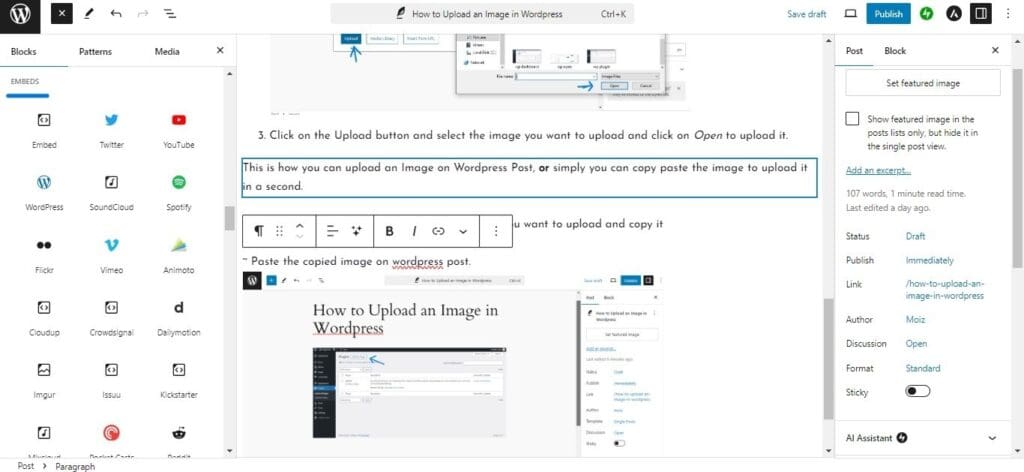
Embed Blocks
Embed blocks let you display content from external platforms directly inside your blog post. You can easily add videos, social media posts, music, forms, and other interactive content by simply pasting a link.
Why These Features Matter
Understanding these WordPress post section features helps you create professional-looking content faster. By using blocks effectively, managing your publishing settings, and taking advantage of design and embed options, you can improve both the appearance and functionality of your blog posts.
The WordPress Post Editor offers many powerful tools that make content creation easier for beginners and experienced bloggers alike. Spend some time exploring these features, and you’ll be able to create engaging, well-structured blog posts that provide a better experience for your readers.
Mastering the WordPress Post Editor can significantly improve your content creation workflow. Whether you’re publishing your first blog post or managing a growing website, understanding these essential features will help you create well-structured, professional-looking content with confidence. Take some time to explore each feature and practice using them in your next post.